







Makati LGU cited for multiple good governance feats


Makati City Mayor Abby Binay attributed to city government workers and Makatizens on Monday, Oct. 16, the recognition that Makati City received from multiple government agencies for its excellent public service programs and initiatives aimed at improving the lives of its residents.
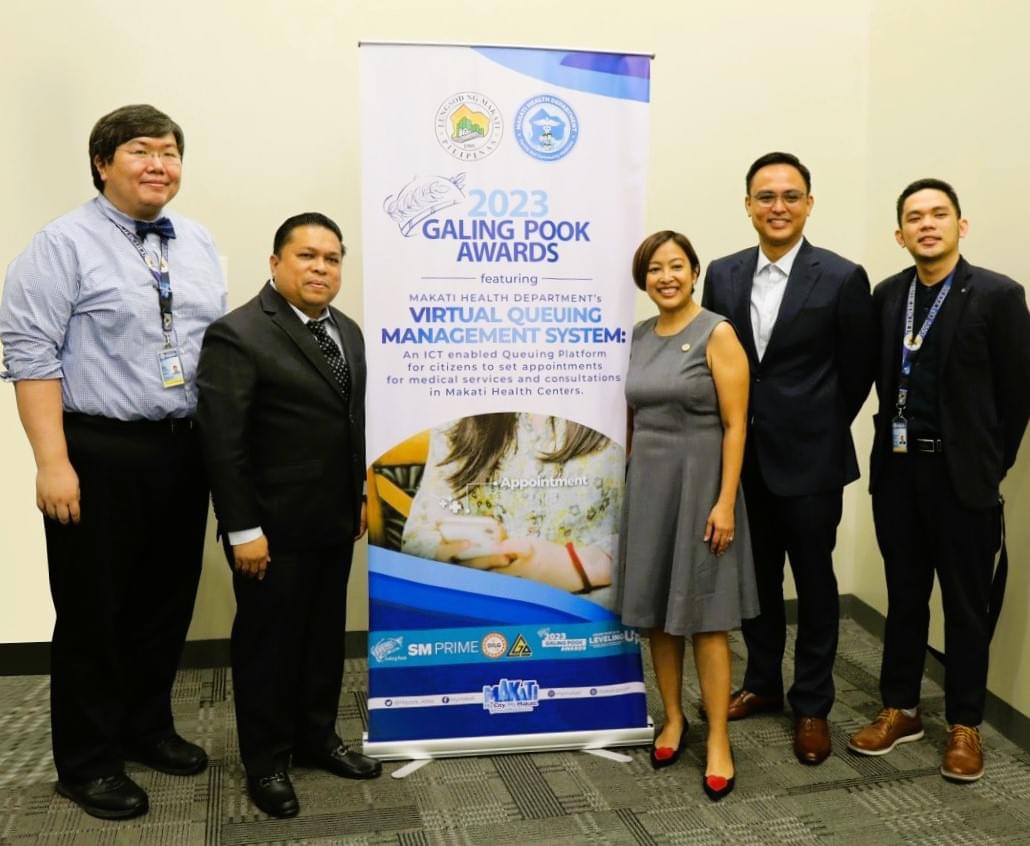
(Photo from Makati LGU)
She said the city received three recognitions from the Department of Health (DOH) and the Department of the Interior and Local Government (DILG) last week.
"Sa ginanap na Local Legislative Awards ng Department of the Interior and Local Government (DILG), second place ang Makati City Council. Ang batayan ng performance ay ang mga taong 2019 hanggang 2022. Mayroon tayong total score na 98 percent para sa ating magagandang legislative measures o mga batas na nagsusulong ng development ng ating lungsod (The Makati City Council bagged the second place in the Local Legislative Awards spearheaded by the Department of the Interior and Local Government. The basis of this performance is from the year 2019 to 2022. The council received a total score of 98 percent for its excellent legislative measures or laws promoting the development of our city)," Binay said.
"Samantala, dalawang awards ang nakuha ng Makati sa ginanap na DOH-MMCHD Newborn Screening Program Recognition and Awarding Ceremony. Binigyang rekognisyon ang East Rembo Lying-In clinic at ang Makati City para sa aktibong pagpapatupad ng newborn screening program sa lahat ng pasilidad ng lungsod simula 2020 hanggang 2022. Parehong pasok sa Top 5 ng LGU at Facility categories ang Makati City at East Rembo sa ginawang review ng Department of Health (Makati received two awards during the DOH-MMCHD Newborn Screening Program Recognition and Awarding Ceremony where the agency gave due recognition to the city and East Rembo Lying-In clinic for its active implementation of its newborn screening program in all its facilities in Makati from 2020 to 2022. Both are included in the Top 5 local government unit (LGU) and Facility categories in the review of the Department of Health)," she added.
Makati's biggest win last week was in being declared as one of the winners of the Galing Pook Awards 2023 for its Virtual Queuing Management System (VQMS) of the Makati Health Department.
"Mula sa 166 entries sa buong bansa ay pumili ang Galing Pook panel of judges ng 17 finalists. Sampu lamang ang binigyan ng parangal para sa mga inobasyon at programang nakakapagbago ng pamumuhay ng mga komunidad. Personal kong ipinresent ang VQMS sa Galing Pook panel noong final screening. At habang ipinapaliwanag ko ang advantages at magagandang nagawa ng virtual scheduling system na ito, ay nakita ko sa audience ang interes na ma-i-implement din ang ganitong sistema sa kanilang mga lungsod (From the 166 entries nationwide, the Galing Pook panel of judges chose 17 finalists for the award where only 10 were given recognition for their innovations and programs that helped change the way of life of its communities. I personally presented the VQMS to the Galing Pook panel during its final screening. In the middle of my presentation of its advantages, I saw the audience's interest to implement the same system in their cities)," the mayor explained.
No more waiting
Binay noted that the VQMS stopped the decade-old problem of long lines in its health centers to receive medical attention.
"Nang dahil sa VQMS naging simple, mabilis, at mas epektibo ang pagpapatakbo ng appointment system sa ating mga health center. Bukod dito, naging digitized na ang data-gathering ng patient records kaya pwede nang magpa-check up ang Makatizens kahit sa ibang health center sa lungsod. Ang mga datos na aming nakakalap ay nakakatulong para palakasin ang ating adbokasiyang “preventive healthcare” para sa ating mga residente. Dahil nakikita natin kung ano ang madalas nilang ikonsulta, at ano ang mga gamot na madalas i-reseta, nalalaman natin ngayon na dumadami pala ang Makatizens na may hypertension o diabetes at mga batang nagsisimula nang maging overweight (VQMS made the appointment system of our health centers much simpler, faster, and more efficient. Aside from this, the data-gathering of patient records became digitized allowing Makatizens to have their check-ups in any health center in the city. The data we are gathering helps our advocacy of "preventive healthcare" of our residents. Since we can now see immediately what they frequently consult as well as the medicines they regularly take, we have detected that the number of Makatizens suffering from hypertension and diabetes are increasing as well as the number of children that are starting to be overweight)," the local chief stressed.
Binay noted that the VQMS is a prime example of the city government's vision of making Makati a smart and digital city. This technology may also be applied in every aspect of providing public service to its community.
She added the city is prepared to share its VQMS technology with other cities to help them boost their healthcare services to their constituents.